Saelyx documentation
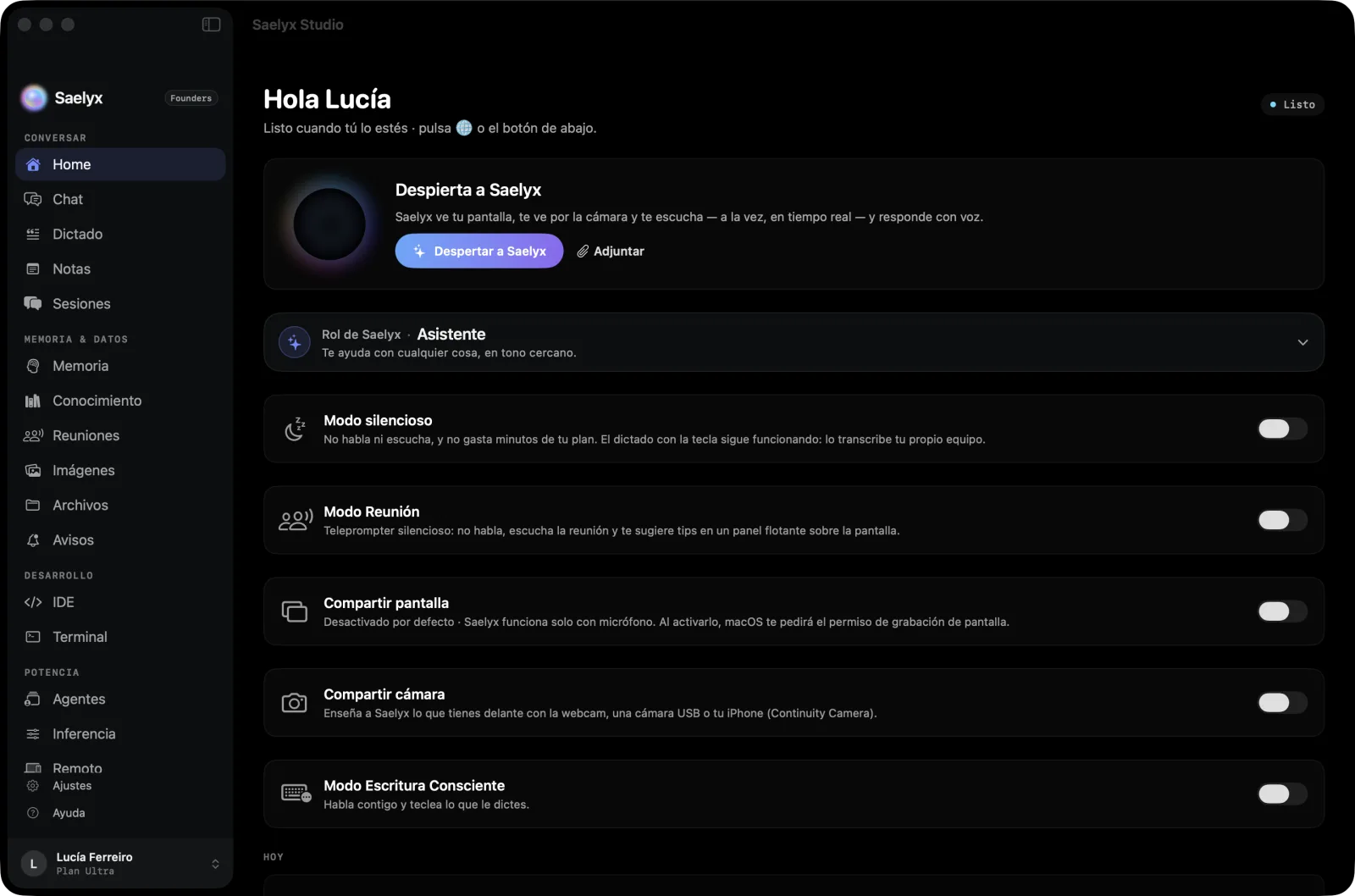
Saelyx is a real-time, multimodal voice agent for Mac, iPhone, iPad and Apple Watch. It listens to you, sees your screen and your camera when you decide it should, works in your apps and runs your meetings. Here you will find how to get started, how to use it and how to configure it.
Note
The Saelyx apps are in Spanish today. In these pages, menu and button names appear as they are on screen, with an English gloss in brackets the first time they come up.
Who it is for
For anyone who would rather talk to their computer than type: dictate in any app, ask it to write something, open a file, run a meeting or look at something with you. Access is by invitation, and there is a Free plan and a Pro plan. The details are in Account and plans and on Pricing.
Note
Saelyx talks to you using artificial intelligence and can make mistakes. Check anything that matters before you decide.
The six things you do every day
| What | What it is | Where to read about it |
|---|---|---|
| Voice, screen and camera | You talk, show it your screen or your camera and it answers out loud; you can interrupt it mid-sentence | Talking to Saelyx |
| Dictation | Hold the 🌐 key, speak, and the text appears in whatever app you are using | Dictation and keyboard |
| Silent meetings | It does not speak: it transcribes, whispers what to say in a floating panel and leaves you the minutes at the end | Meetings and minutes |
| Your Mac apps, by voice | Office and iWork, mail, Teams, terminal and code editor; it asks before sending or deleting | Working in your Mac apps |
| Odoo and Jira | Your tasks, hours and tickets, by voice and chat; you confirm whatever it writes | Connectors |
| Memory and knowledge | It remembers what you tell it; you see it, edit it and delete it | Memory, knowledge and notes |
Where do I start?
I'm getting started
- I want to try it now: Getting started in 5 minutes.
- I want to install or update it: Install and update.
- I want to know what each plan includes: Account and plans.
I want to…
- Talk to it and have it see my screen: Talking to Saelyx.
- Dictate in any app: Dictation and keyboard.
- Have it run a meeting and leave me the minutes: Meetings and minutes.
- Save or send the minutes through Microsoft 365: Microsoft 365.
- Connect my calendar, Odoo or Jira: Connectors.
- Use it on iPhone, iPad or the watch: Devices.
- Change a setting: Full configuration reference.
- Understand what stays on my device and what travels: Privacy and your data.
- Know what it does not do: Known limitations.
Something is wrong
- A specific message or symptom: Troubleshooting.
- A system permission was denied: System permissions.
- A quick question: FAQ.
- If the service does not respond, write to us from Support.
Where to go now
Get started: Getting started in 5 minutes · Install and update · Account and plans
Use: Talking to Saelyx · Dictation and keyboard · Meetings and minutes · Mac apps · Connectors · Microsoft 365 · Memory, knowledge and notes · Devices
Configure: Full configuration reference · System permissions · Privacy and your data
How it knows itself: How Saelyx knows what it can do
Reference: Known limitations · Troubleshooting · FAQ
Reviewed on 29 Oct 2026 · Saelyx for Mac 0.10.196 · iPhone 1.1.40